
Automation Quickstart
Build and publish your first Agent automation in about five minutes.
Before You Start
- Sign in at platform.ramain.ai with Builder or Admin access.
- Ensure your organization has credits available.
- Pick a repeatable multi-step task, such as calling an API and reshaping JSON, processing a spreadsheet, or looping records through a saved workflow.
Step 1: Create An Automation
- Open Agents.
- Create a new automation.
- The Automation Builder opens with the canvas and builder chat.
You now have an empty draft automation tied to the builder session.
Step 3: Review The Graph
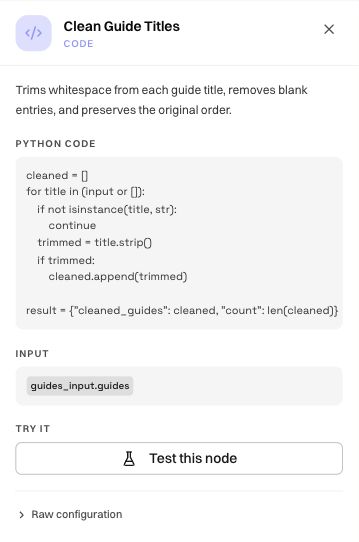
- Select nodes on the canvas to open their inspector.
- Confirm inputs, outputs, templates, and links between steps.
- If a step uses a saved browser workflow, ask the builder to inspect that workflow so its input and output contracts match.
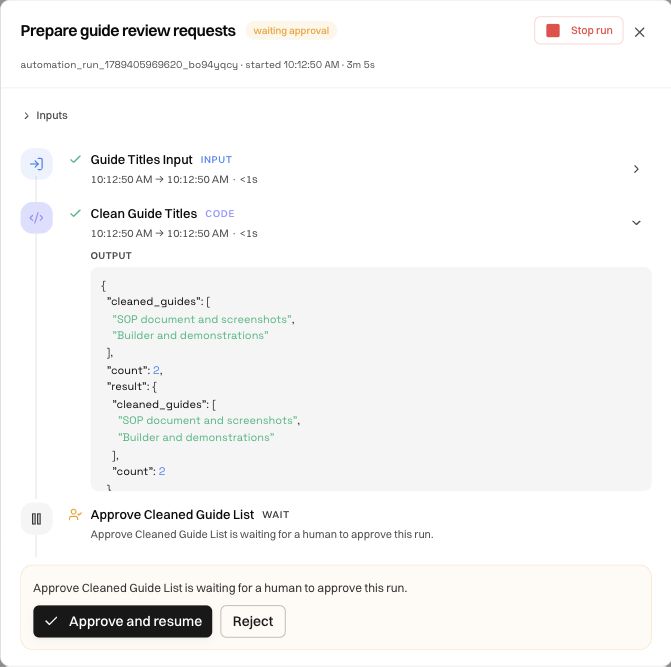
If the graph looks wrong, describe the correction in chat and let the builder patch it.
Step 4: Save Your Draft
- Persist the automation and give it a descriptive name.
- Confirm its status remains
draft.
Saving preserves the graph and builder history without making it production-ready.
Step 5: Publish
- Resolve missing edges, host allowlist issues, and workflow pin validation errors.
- Select Publish when the graph matches the intended process.
- Confirm the status changes from
drafttosaved.
Step 6: Run
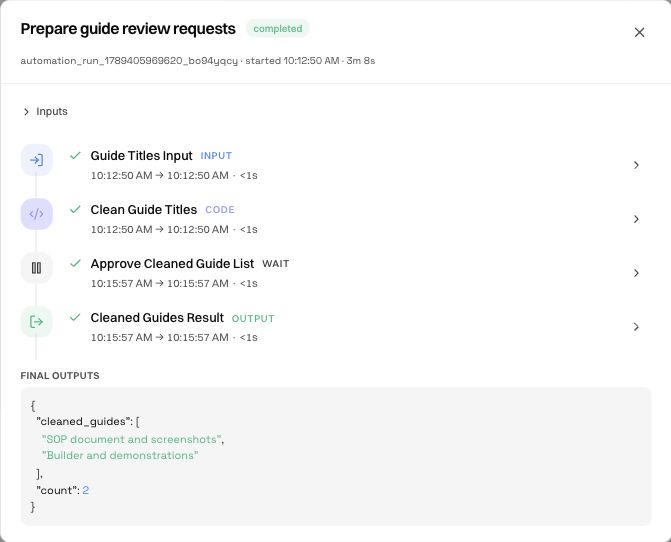
Use Run → Sandbox while iterating, then run Live after publishing to verify real side effects. Configure schedules and inbox triggers separately.
Common First-Run Issues
Was this page helpful?