
History
Replay past runs and inspect what each step produced.
Inspect Every Launch
History lists every launch session for the current workflow. Pick a session to match the recording rail and the step log. The view is read-only.
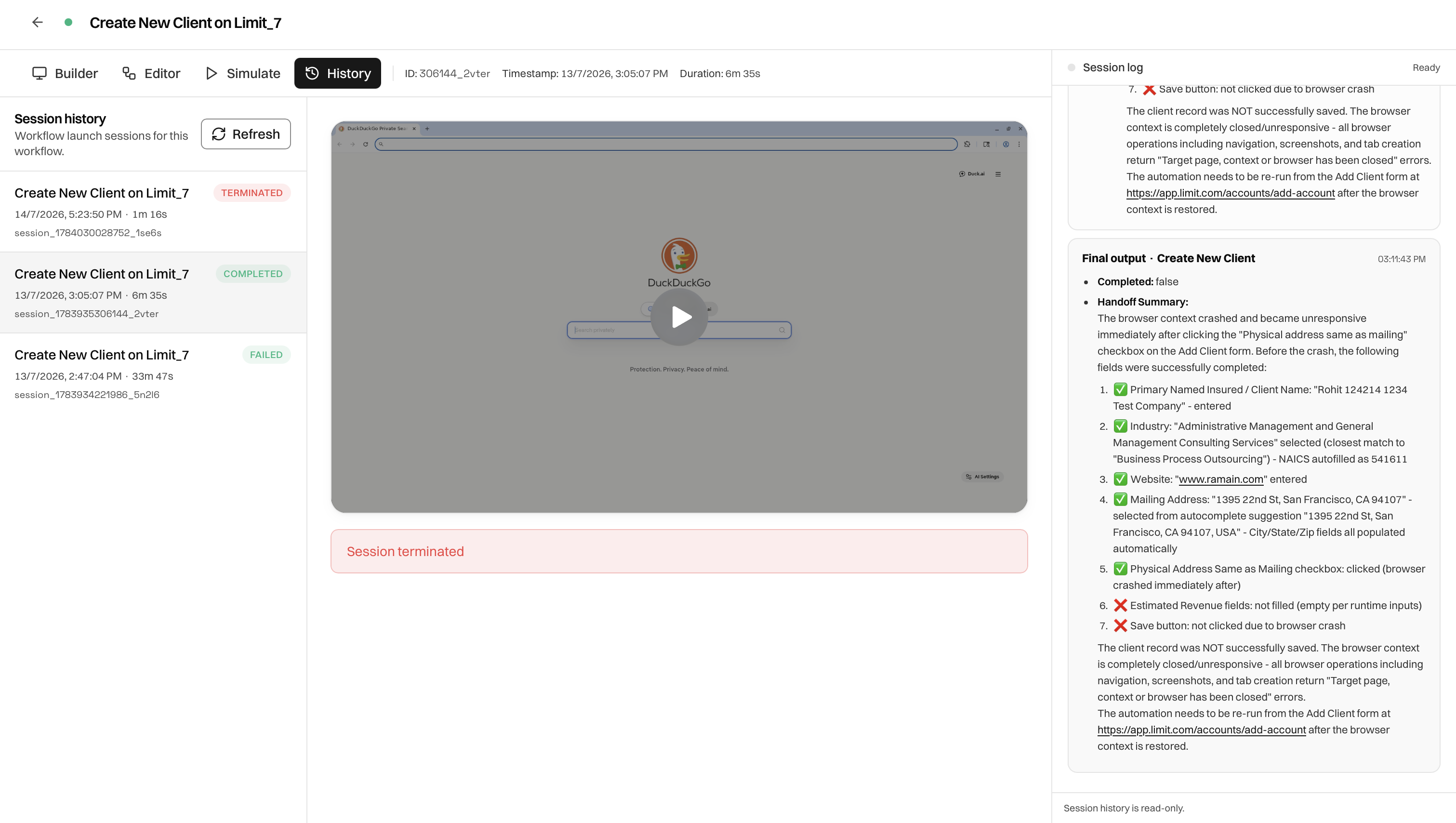
Layout
Session Statuses
Using History To Debug
- Open the latest session.
- Scrub the recording to the failure point.
- Read the failing step in the log, including outputs and handoff summary.
- Fix the graph in the Editor, wait for autosave, then launch again.
- Confirm the new session in History.
What The Log Shows
- Launch input or confirmation that none was required
- Per-step outputs such as logged-in user and landing URL
- Handoff summaries in plain language
- Final output from the last block
Was this page helpful?